


FelixBeta
-
Posts
108 -
Joined
-
Last visited
-
Days Won
24
Posts posted by FelixBeta
-
-
On 3/15/2026 at 10:37 PM, KarabasS said:
Привет. Что то не могу понять, почему не работает, вроде уже гайды пересмотрел, видос посмотрел.
Hi. I can't figure out why it's not working, and I've already reviewed the guides and watched the videos.Aborted cause of file missing: storecli.txt Fatal error: Uncaught TypeError: fclose(): supplied resource is not a valid stream resource in C:\xampp\htdocs\Parser-Eng\php2.8\store.php:25 Stack trace: #0 C:\xampp\htdocs\Parser-Eng\php2.8\store.php(25): fclose(Resource id #5) #1 {main} thrown in C:\xampp\htdocs\Parser-Eng\php2.8\store.php on line 25Warning: md5_file(C:\RF_Online\Parser\gu_in\Item.edf\19_UnitKeyItem\UnitFrame.txt): Failed to open stream: No such file or directory in C:\xampp\htdocs\Parser-Eng\php2.8\item.php on line 18 MD5 hash is same. Skipped: 19_UnitKeyItem\19decrypt.txt Warning: md5_file(C:\RF_Online\Parser\gu_in\Item.edf\25_GuardTowerItem\GuardTowerItem.txt): Failed to open stream: No such file or directory in C:\xampp\htdocs\Parser-Eng\php2.8\item.php on line 109 MD5 has is same. Skipped: 25_GuardTowerItem\25decrypt.txt Warning: md5_file(C:\RF_Online\Parser\gu_in\Item.edf\44_ItemMakeData\ItemMakeData.txt): Failed to open stream: No such file or directory in C:\xampp\htdocs\Parser-Eng\php2.8\item.php on line 210 MD5 has is same. Skipped: 44_ItemMakeData\44decrypt.txt Warning: md5_file(C:\RF_Online\Parser\gu_in\Item.edf\45_ItemCombineData\ItemCombine.txt): Failed to open stream: No such file or directory in C:\xampp\htdocs\Parser-Eng\php2.8\item.php on line 337 MD5 hash is same. Skipped: 45_ItemCombineData\45decrypt.txt Aborted cause of file missing: 0decrypt.txtPhoto
PHP 8.2.12 (cli) (built: Oct 24 2023 21:15:15) (ZTS Visual C++ 2019 x64)I changed php, but it still doesn't work.
В шапке указана конкретная версия php и для удобства вебсервер с этой версией.
-
16 hours ago, rdias said:
I'm using genuine Windows 11 and I didn't want to uninstall it; that would be the only problem.
Works fine with that powershell fix. But you can install newer SQLs, you are not forced to use 2014, I just prefer it due to built in management tool and new ones comes with stand alone app which is bulky and freaky

-
-
12 hours ago, rdias said:
you aren't forced to use sql 2014, it's just have more pleasant management tool. You can use newer if you want
-
3 hours ago, mathurin said:

gateip (should be removed mostly)
-
8 hours ago, mathurin said:
Hi,
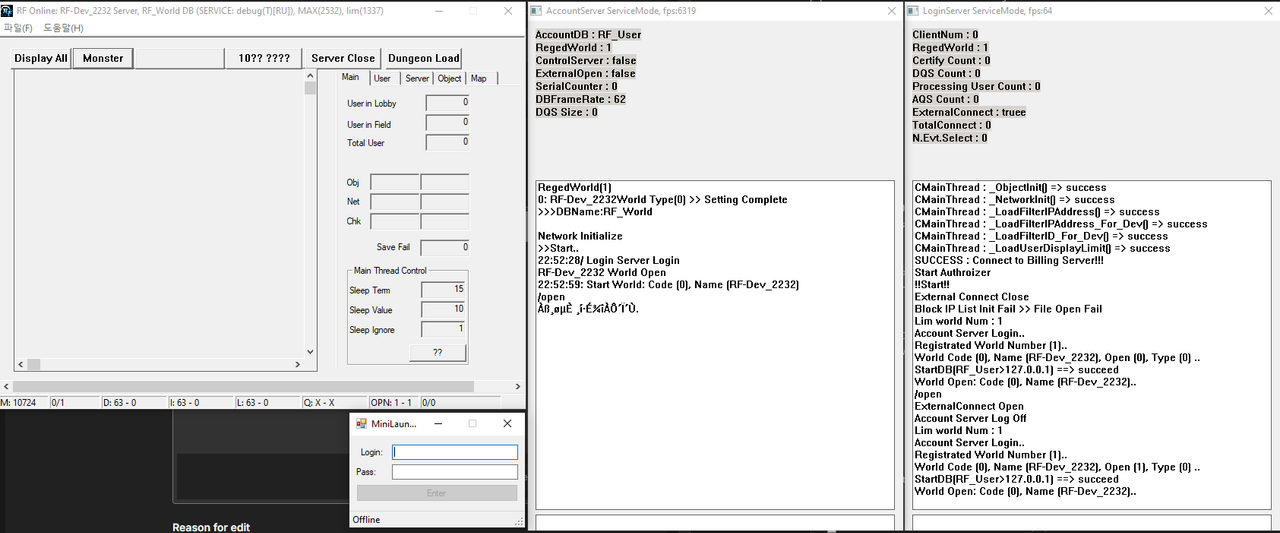
i got a last issue. MiniLauncher.exe stay "Offline".
All rest are ok.
How can i solve it ?
Thanks by advice.
can be anything, for example closed ports or your world in zone is not opened
-
On 3/5/2026 at 4:10 PM, CB0479 said:Subject: Need help with Korean client compatibility (Win 11 Pro)Hello everyone, I’m a user from Korea.
Thanks to the files and guides provided here, I have successfully set up a private server on Windows 11 Pro. Everything works great with the base files.However, I’m currently struggling to get the Korean version of the client to work. I’ve tried several different Korean client versions, but none of them have been successful so far.Could anyone give me a hint or a brief guide on how to make the server compatible with the Korean client? I would really appreciate any pointers.P.S. Please understand that I am using a translator to write this post as my English is not perfect. Thank you for your patience!
Korean game client would require secure/module to work, or you can try to use en-gb with korean text and korean font (tho, you would need to hook that too)
-
Nothing is encrypted. .his files located where you appoint them in WorldInfo (long path are not supported by default)
-
Small handy viewer tool to see item icons index.
Supported formats:
- Pretty much every DDS format supported by RF Online game client.
- PNG
- JPG
- BMPFeatures:
- Zoom in/out
- Move
- Add/Subtract 1024 to index (automatically if you load item-1-38.dds)
Download:
https://www.mediafire.com/file/tesal3m3hagcw26/RFIconIndexViewer.exe/file
-
16 hours ago, magnus said:
all step i following sir from your video, but server is maintence, can you helo me ?
type in login server /open
-
22 hours ago, gemanovenza said:
help me the launcher wont open after i run as administrator
If you meant small developer launcher then you must be forgotten to copy ini file to datatable locale
-
Because you need specific php version as pointed in topic and provided needed xammp version that have it. Also you browser to test it, cmd is for more advanced parser users
-
19 hours ago, Haiken said:
Any idea what is blocking me here ?
Error:
PS C:\Users\Micro\Downloads\Parser\php2.8> php store.php
<head><meta charset="windows-1251"></head>
Warning: fopen(C:\Users\Micro\Downloads\Parsergu_out\store.dat): failed to open stream: No such file or directory in C:\Users\Micro\Downloads\Parser\php2.8\store.php on line 9Warning: fclose(): supplied argument is not a valid stream resource in C:\Users\Micro\Downloads\Parser\php2.8\store.php on line 14
Aborted cause of file missing: storecli.txt<br>
Warning: fclose(): supplied argument is not a valid stream resource in C:\Users\Micro\Downloads\Parser\php2.8\store.php on line 25Warning: fopen(C:\Users\Micro\Downloads\Parsergu_out\en-gb\ndstore.dat): failed to open stream: No such file or directory in C:\Users\Micro\Downloads\Parser\php2.8\store.php on line 28
Aborted cause of file missing: ndstore.txt<br>
Warning: fclose(): supplied argument is not a valid stream resource in C:\Users\Micro\Downloads\Parser\php2.8\store.php on line 42
<br>Script finishedLooks like you didn't add a slash in path:
C:\Users\Micro\Downloads\Parsergu_out\store.dat "Parsergu_out" very wrong, should be "Parser\gu_out"
-
Soon
 busy trying new things, so it takes some times.
Tho, usually those kind of questions are for Odin discord

-
20 hours ago, bamexof said:
Thanks, small bug saving exp.xlsx - make sure you save this one manually.
Should be no bug there, using this version for my work, saves all files fine
-
On 3/29/2025 at 1:52 AM, Viktor said:
link broken re up
Yeah, weird. Mediafire think it's suspicious/virus while it's not even packed, just a compiled exe. VirusTotal is somewhat fine, only some weird AV marks it as virus.
Re-uploaded as 7z archive
https://www.mediafire.com/file/699jzw7d5zxj2pp/SPRTool.7z/file
upd: main link works again, seems they whitelisted it
-
You should use parser and avoid working with DatEdit
-
Why you need improve current CPU/RAM usage tho? RF Online eats like nothing compared to modern game. 4-10% cpu and 800mb ram is nothing
-
10 hours ago, GIBBY said:
Is this script suitable for AOP?
It's a tool to save excel files into txt, not update related really as long as your parser use txt to convert
-
Running anything below 2232 is very pointless and risky those days
-
Updated tool. Fixed few file issues and added mipmap cutting if DDS was saved with them.
-
Annoyed by .rep file editing so updated spr tool. Now you can just convert spr to get dds and dat file, then open dat file with notepad++ and edit what you need, sizes are auto-calculated.
Basic usage:
1. To unpack, simply drag and drop your file.spr
2. To repack, drag and drop your file.datfileonto the executable to create anfile.sprfile.Download:
https://www.mediafire.com/file/ozgp89o5unih178/SPRTool.exe/file
-
99% it's looking for price in billing db
-
use this in rfacc.ini
[Options]
DBSTR    = Provider=MSDASQL;DSN=BILLING;Source=BILLING;UID=sa;PWD=mypassword;Initial Catalog=BILLING;
ErrDBSTR =
LogLevel = 2

[SELL] Various Source Code
in Software & Services
Posted
It's 2026 and people still aim for pleasing the crowd and fame farm